OmniDrive
| Note: If you have issues or questions with flashing your drive, please ask on the Redump forum or VGPC Discord server. It is much easier to help you before you flash your drive, than after flashing it incorrectly! |
On 2026-02-18, RibShark released the OmniDrive firmware for MediaTek MT1959-based Blu-Ray drives manufactured by Hitachi-LG Data Storage (HLDS). OmniDrive is highly recommended by Redump for drives that are compatible with it, and the firmware directly replaces the old modified JB8 firmware (3.10 Rib) previously recommended by Redump since 2022.
Beyond enabling lead-out reading on CDs, OmniDrive also allows dumping many other game discs previously not readable by the stock firmware (GameCube, Wii, Xbox, Xbox 360, Xbox One, Xbox Series X), raw DVD reading (2064-byte sectors), raw BD reading (2052-byte sectors, including encrypted Wii U reading), lead-in/lead-out reading for DVDs and BDs, and provides an option for FUA (force unit access) allowing for better refining of disc dumps. The latest version of Redumper supports all of these features.
Flashing Instructions
DO NOT FLASH THE INCORRECT FIRMWARE: USE ASUS 3.02 FOR DESKTOP DRIVES, USE BU40N 1.00 FOR SLIM DRIVES. YOU MAY BRICK YOUR DRIVE IF YOU FLASH THE WRONG ONE
Redump requires that you use the prebuilt firmware files provided at OmniDrive v1.0.4. If you are building your own, you must ensure that the final built binary is byte-identical to the linked firmware.
It's highly recommended that you use Redumper to flash OmniDrive as it is simple, safe, and does not require that you install any programs. Flashing works on Windows and Linux (macOS is not yet supported). To flash with redumper, you may use Redumper-GUI or with CLI use following command:
Windows: ./redumper.exe flash::mt1959 --firmware=HL-DT-ST_BD-RE_BU40N_1.00_OmniDrive.bin --drive=E:
Linux: ./redumper flash::mt1959 --firmware=HL-DT-ST_BD-RE_BU40N_1.00_OmniDrive.bin --drive=/dev/sg0
Use the path to the chosen firmware file, and the path to the correct drive to be flashed.
If you require flashing on macOS or prefer to use the old MakeMKV flasher, read the Flashing MT1959 page.
Compatible Drives
OmniDrive currently has two firmware versions available, a modification of the ASUS BW-16D1HT 3.02 firmware, and a modification of the LG BU40N 1.00 firmware. The code is open source, and the modified firmware can be built yourself, provided you have the stock firmware. Redump recommends using prebuilt firmware files to simplify troubleshooting.
In theory, any drive manufactured by HLDS using the MT1959 chipset may be compatible with OmniDrive. However, we cannot guarantee this is true for all possible configurations, the drive models listed below are compatible to the best of our knowledge.
The two firmware modifications currently released allow for cross-flashing many drive models: half-height desktop drives based on JB8 platform can be flashed to the ASUS 3.02 firmware, and newer (2015+) LG super slim (9.55mm) blu-ray writer drives can be flashed to the BU40N 1.00 firmware.
Half-height Drives
See the buyer's guide on this page to check whether a drive is OmniDrive-compatible. Some brief notes:
- Drives with a manufacturing date prior to 2015 are guaranteed incompatible.
- Drives identified as MT1959 by MakeMKV are very likely compatible. Drives identified as MT1939 or not identified at all are guaranteed incompatible.
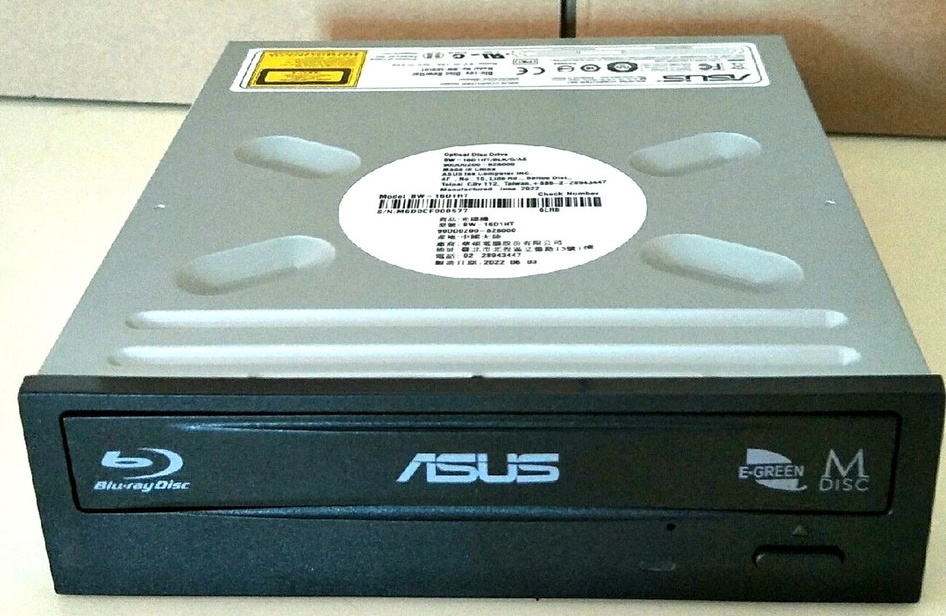
- Drives with four dimples on the top are likely compatible. Drives with a circular top are likely incompatible. Neither is a guarantee.
- The PCB code on the drive must be either JB8 or JB9. Older drives with JB7 or JBC5 PCBs are not compatible. See the ✱ note below.
If you already own an older HLDS drive that are not MT1959-based ("MT1939", chip label MT1959UWDN or MT1959USFN), many models can still be flashed with firmware versions that enable scrambled reading and can still be dumped with Redumper (with caveats). For instructions on flashing older LG/ASUS drive models, see Flashing Older HLDS Drives.
| Model | Notes |
|---|---|
| Asus BC-12D2HT ✱ | BD Reader only (cannot burn Blu-rays). Older models cannot be flashed. |
| Asus BC-12B1ST b ✱ | BD Reader only (cannot burn Blu-rays). Older models cannot be flashed. |
| Asus BW-16D1HT ✱ | "BW-16D1HT PRO" model is identical. Older models cannot be flashed. "BW-16D1HT a" (a suffix, Chinese relabel) are sometimes incompatible JB7 models despite new manufacturing dates. Some drives with a circular top are incompatible JB7 models despite new manufacturing dates. |
| Asus BW-16D1H-U Pro ✱ | External USB drive, ASUS branded BH50N internally, must be LG BH50N variant, drives manufactured before 2025 may or may not be the older incompatible Pioneer BDR-212T variant. |
| Asus BW-16D1X-U ✱ | External USB drive, ASUS branded BH50N internally, must be LG BH50N variant, drives manufactured before 2025 may or may not be the older incompatible Pioneer BDR-212T variant. |
| LG UH12NS40 ✱ | BD Reader only (cannot burn Blu-rays). Older models cannot be flashed. |
| LG CH12NS40 ✱ | BD Reader only (cannot burn Blu-rays). Older models cannot be flashed. |
| LG WH14NS40 ✱ | Only newer models can be flashed. |
| LG BH14NS40 ✱ | Only newer models can be flashed. |
| LG BH16NS40 ✱ | Only newer models can be flashed. |
| LG WH16NS40 ✱ | Only newer models can be flashed. |
| LG BH16NS50 ✱ | Older models (2015, v0495) are untested and may be incompatible. |
| LG BH14NS50 | |
| LG BH16NS55 | |
| LG BH14NS58 | |
| LG BH16NS58 | |
| LG WH16NS58 | |
| LG BH16NS60 | JB9-based drive, can flash directly to OmniDrive firmware. |
| LG WH16NS60 | JB9-based drive, can flash directly to OmniDrive firmware. |
| LG BH-A10AME | Untested, Uncommon drive that should be compatible. |
| LG BH40N ✱ | Only newer models can be flashed. Also rebadged by OEMs (Dell, HP, Lenovo). |
| LG BH50N | |
| LG BE16NU50 | External half-height drive. |
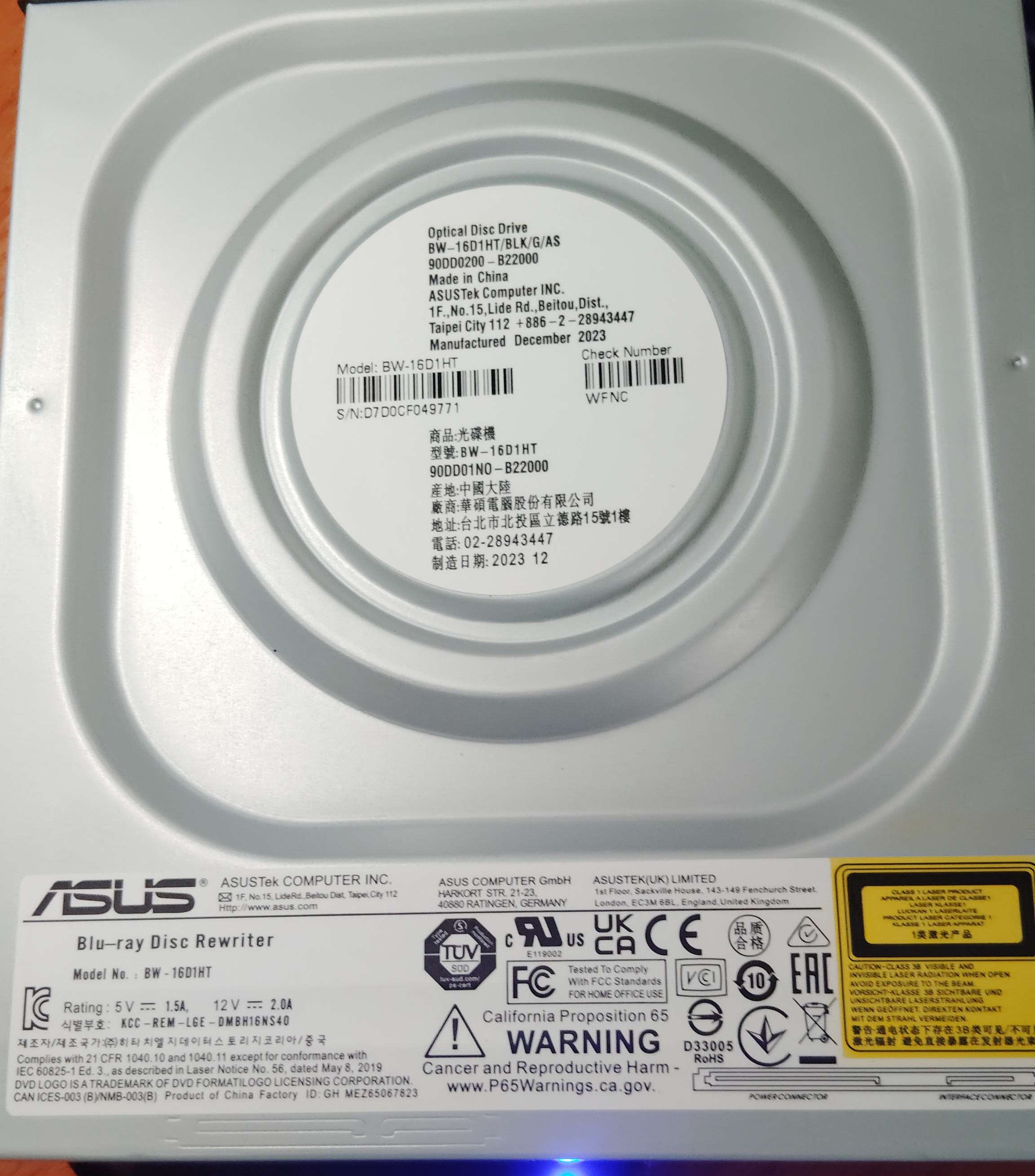
✱ Note: Older productions of these drive models are not compatible with OmniDrive (PCB codes JB7 2011.11.17 or JBC5 2012.05.02 are not compatible, typically manufactured 2015 and earlier). If you cannot see the PCB code (such as online listings before purchasing), JB8 models typically have a flat top with four dimples, while the older incompatible JB7 models have a circular top, though neither is a guarantee. If there is an SVC code on a sticker, it must be NS50 or NS52 (SVC code NS40 usually identifies the older incompatible models). See the buyer's guide on this page for more information on compatibility.
Slim Drives
| Model | Notes |
|---|---|
| LG BU40N | Internal slim drive. Also includes OEM variants of BU40N, e.g. HP, Dell. |
| LG BU50N | Internal slim drive. Also includes OEM variants of BU50N, e.g. HP, Dell. |
| LG BP71N | Internal slim drive. |
| LG WP50NB40 ✱ | External USB drive, must have svc code NB50 or NB52. Early models (svc code NB40) are incompatible. |
| LG BP50NB40 ✱ | External USB drive, must have svc code NB50 or NB52. Early models (svc code NB40) are incompatible. |
| LG BP55EB40 ✱ | External USB drive, must have svc code EB50 or EB52. Early models (svc code EB40) are incompatible. |
| LG BP60NB10 ✱ | External USB drive, must have svc code NB10 or NB12. |
| Archgon MD-8107-U3 | External USB drive, BU40N internally. Enclosure may not be compatible, but the internal BU40N drive can be be removed and used with a different enclosure/cable (see MakeMKV forum thread on this issue). |
| Asus SBW-06D5H-U ✱ | External USB drive, BU50N internally, must be newer LG BU50N variant, drives manufactured before 2025 are likely the older incompatible Pioneer BDR-US03 variant. |
| ASUS SBW-06D2X-U ✱ | External USB drive, BU50N internally, must be newer LG BU50N variant, drives manufactured before 2025 are likely the older incompatible Pioneer BDR-US03 variant. |
| Buffalo BRUHD-PU3-BK | External USB drive, BU40N internally. The enclosure may interfere with drive inquiry data, but redumper should still detect OmniDrive if flashed correctly. |
| Buffalo BRXL-PT6U2V | External USB drive, BU40N internally, must be LG BU40N variant (EU versions are not?). The enclosure may interfere with drive inquiry data, but redumper should still detect OmniDrive if flashed correctly. |
| Buffalo BRXL-PTV6U3 | External USB drive, BU40N internally. The enclosure may interfere with drive inquiry data, but redumper should still detect OmniDrive if flashed correctly. If not, the internal BU40N drive can be removed and used with a different enclosure/cable. |
| Buffalo BRXL-PUS6U3B | External USB drive, BU40N internally. The enclosure interferes with drive inquiry data, making OmniDrive detection fail even after a successful flash. The internal BU40N drive can be removed and used with a different enclosure/cable. |
| Elecom Logitec LBD-PWA6U3 series | External USB drive, LG BP71N internally. |
| Verbatim 43888 ✱ | External USB drive with USB-C port, must be newer LG BU40N variant, drives manufactured before 2025 are always the older incompatible Pioneer BDR-UD04 variant (most but not all manufactured in 2025 are BU40N). Use a USB 2.0 cable if you get short transfer SCSI errors. |
| Verbatim 43889 ✱ | External USB drive with USB-C port, must be newer LG BU40N variant, drives manufactured before 2025 are always the older incompatible Pioneer BDR-UD03 variant (most but not all manufactured in 2025 are BU40N). Use a USB 2.0 cable if you get short transfer SCSI errors. |
| Verbatim 43890 ✱ | External USB drive with USB 3.0 Micro-B port and power supply, must be newer LG BU40N variant (unconfirmed if BU40N variants exist), drives manufactured before 2025 are always the older incompatible Pioneer BDR-UD03 variant. Use a USB 2.0 cable if you get short transfer SCSI errors. |
✱ Note: Older productions of these external USB drive models are not compatible with OmniDrive (may contain incompatible BU20N or incompatible Pioneer drives).
Buyer's Guide
Half-Height (Desktop) Drives
There are a lot of drives with the same model numbers but different internals, and quite a few fake drives on the market (especially from marketplace sellers on Newegg, eBay, and Aliexpress). This is a list of known signs of compatibility or incompatibility.


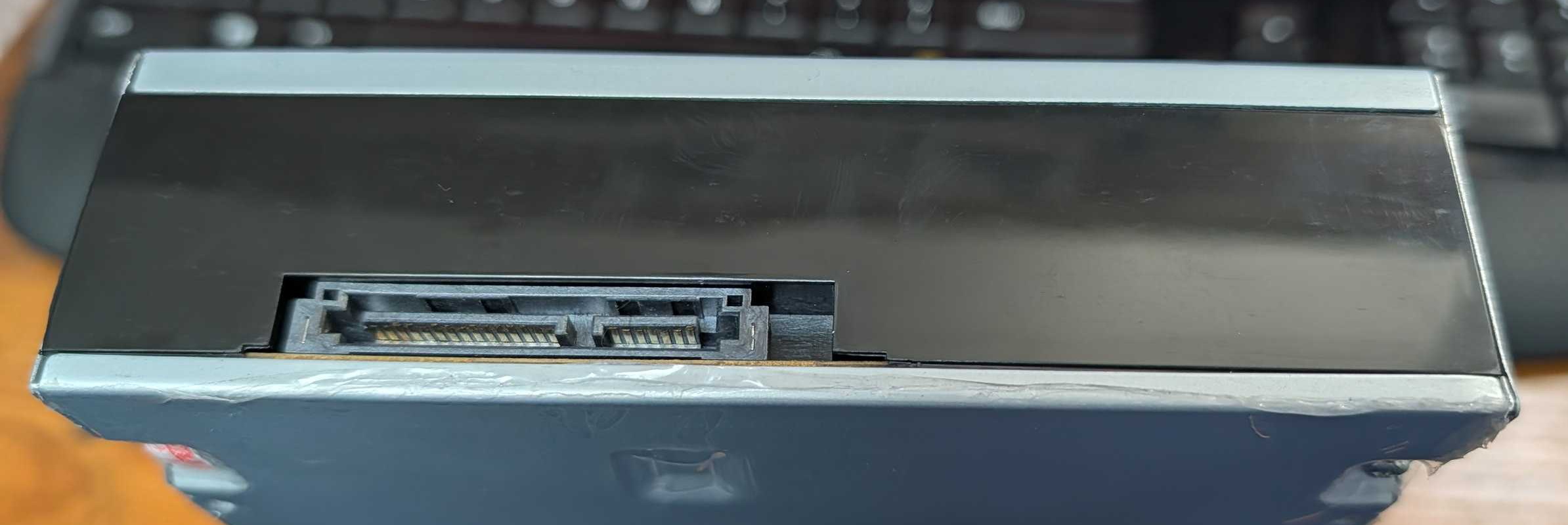
Guaranteed compatible: Drive has JB8 PCB markings (JB8 2015.08.05) or JB9 PCB markings (JB9 2015.09.03) on right side of SATA connectors.
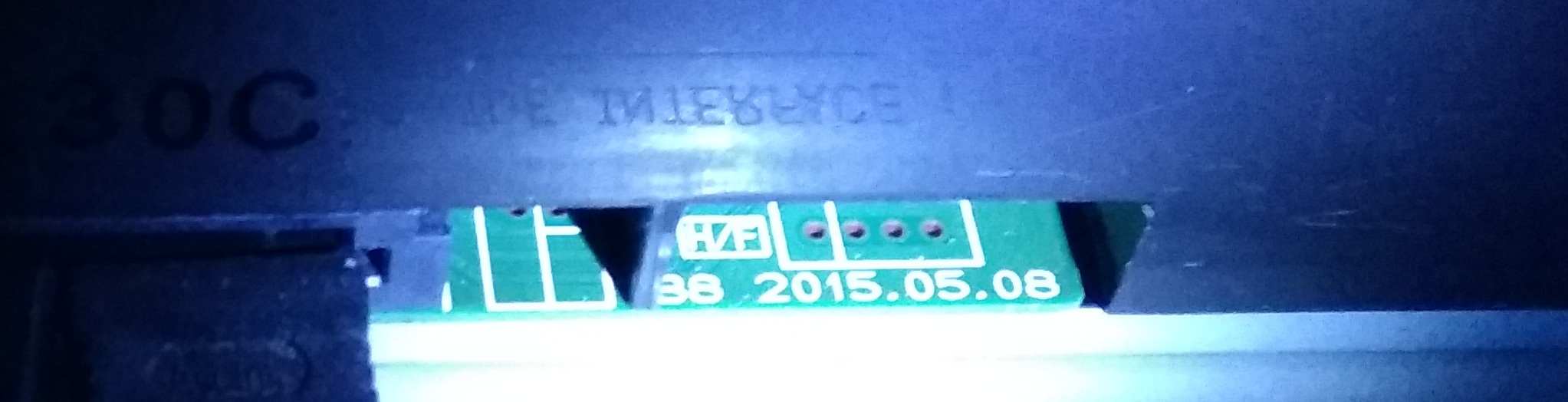

Guaranteed incompatible: Drive has JB7 PCB markings (JB7 2011.11.17) or JBC5 PCB markings (JBC5 2012.05.02) on left side of SATA connectors.

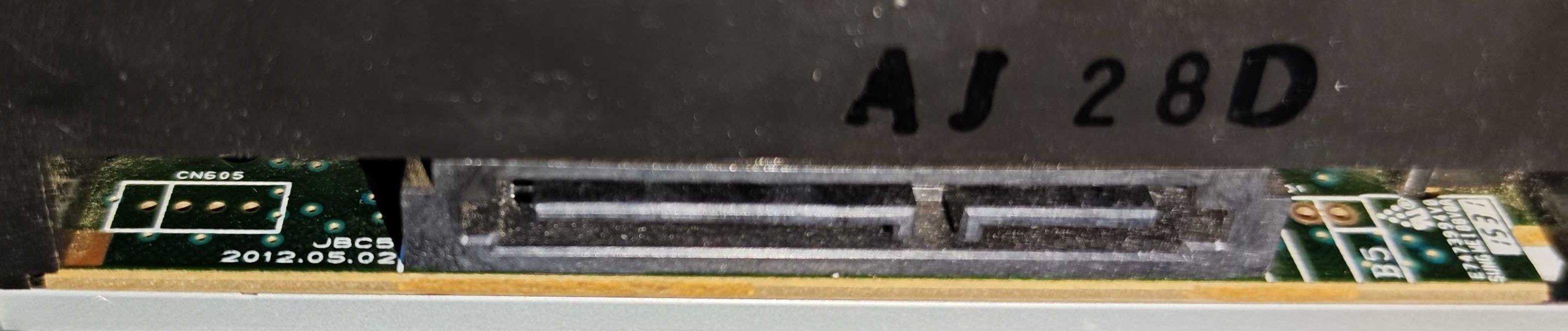
Note that if there is plastic covering the PCB markings on both sides, the drive is a fake that has been put into a new case.
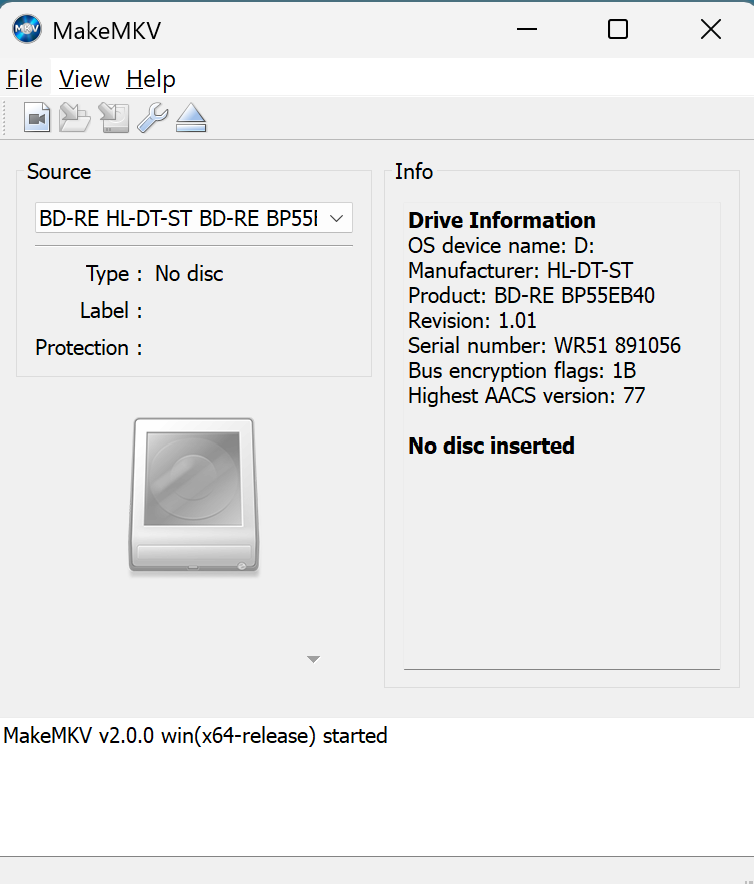
High likelihood of being compatible: Drive is identified as MT1959 chipset in MakeMKV.
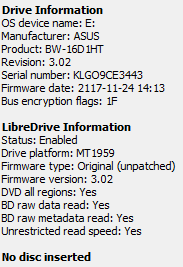
Note that there have been reports of one drive identified as MT1959 being incompatible, thus this is not a guarantee.
Guaranteed incompatible: Drive is identified as MT1939 chipset in MakeMKV, or drive is not identified at all in MakeMKV.
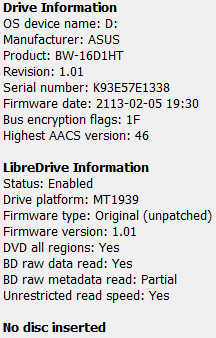
Possibly compatible: Drive lid is flat with 4 small dimples in lid.
Usually incompatible: Drive lid is circular.
There has been one report of a compatible JB8 drive with a circular top, but it is very unusual to see.
Possibly compatible: Drive is manufactured late 2015 or later.
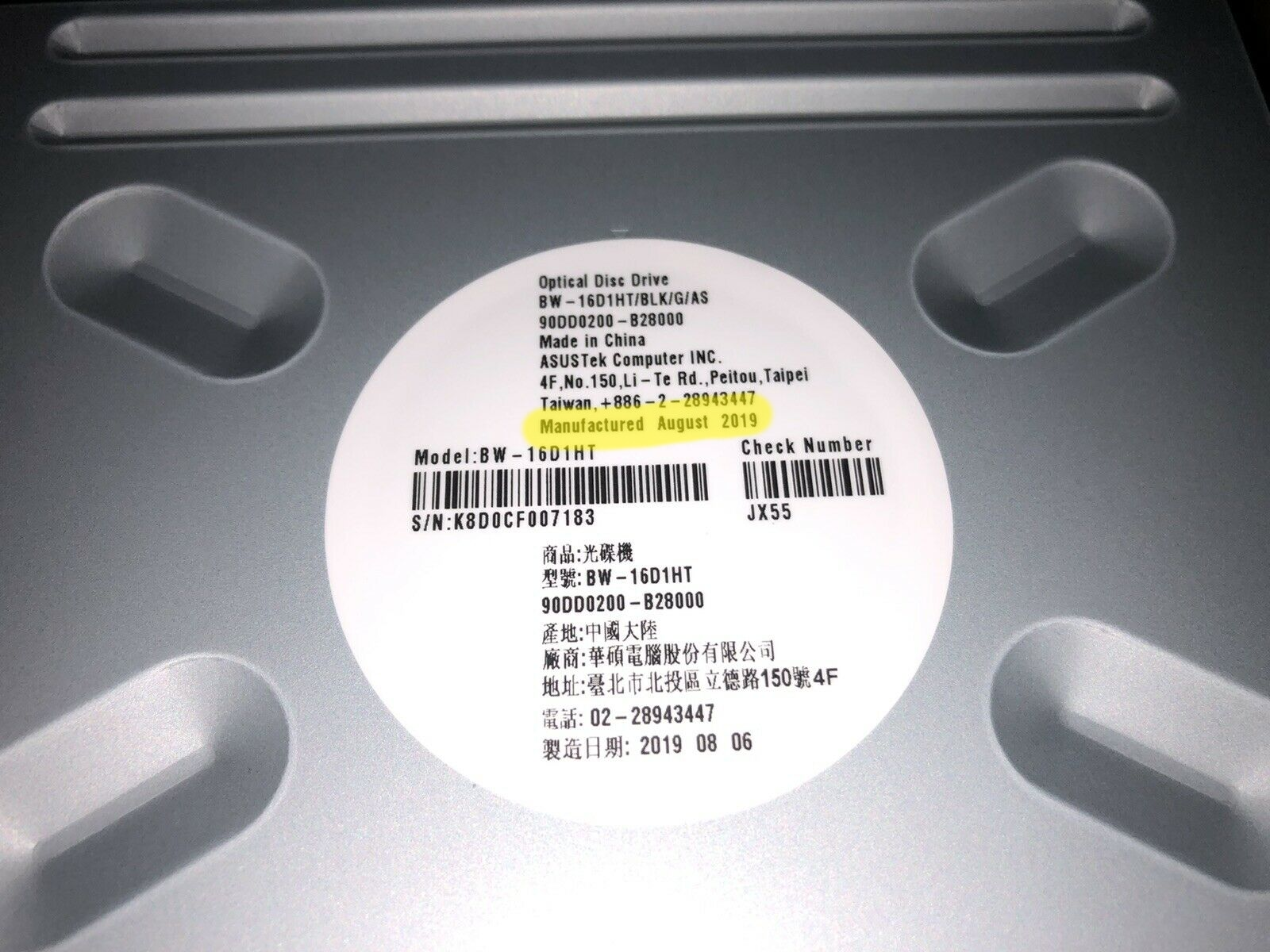
Note that some fake drives will use a more recent manufacturing date than their hardware would suggest. This is the weakest evidence that the drive is compatible.
Guaranteed incompatible: Drive is manufactured before 2015.
Guaranteed incompatible: On fake drives, there is also a potential for misspelled words on the drive label due to OCR errors. Some that have been noted:
- CONNECOTOR (should be 'CONNECTOR')
- FORMAT|LOGO (should be 'FORMAT/LOGO')

Slim (Laptop) Drives
In general slim drives mostly just work as there are not major changes to the internals between compatible drives, but there has been an increasing number of fake drives (especially drives already in enclosures from sellers on as Newegg, eBay, and Aliexpress marketplace listings) starting to show up on the market (as of Sept 2026). This is a list of known signs of compatibility or incompatibility.

Guaranteed compatible: Internal PCB has BU40N PCB markings (BU5 2019.07.31).
Note that taking apart your drive to check will void the warranty, and they are not designed for easy disassembly and reassembly. This is a check of last resort.
High likelihood of being compatible: Drive is identified as MT1959 chipset in MakeMKV.
Note that there have been reports of one drive identified as MT1959 being incompatible, thus this is not a guarantee.
Guaranteed incompatible: Drive is identified as MT1939 chipset in MakeMKV, or drive is not identified at all in MakeMKV.
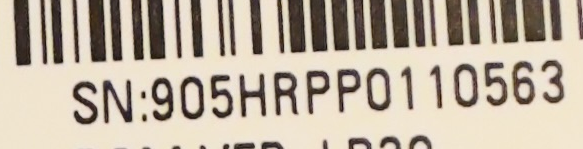
Guaranteed incompatible: On fake drives, there is also a potential for misspelled words on the drive label due to OCR errors. Some that have been noted:
- Blu-DVD (should be 'Blu-Ray DVD')
- The Nethelands (should be 'The Netherlands')
- SN (should be 'S/N')
- Data Siorage (should be 'Data Storage')
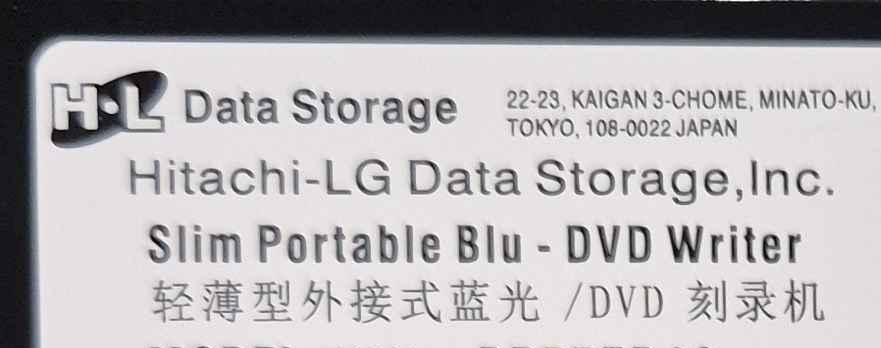


Guaranteed incompatible: On fake external drives, the logos may not be correct due to poor manufacturing.
- Misaligned LG logo (should be correctly aligned)